7 Best Value Robot Vacuums in 2026
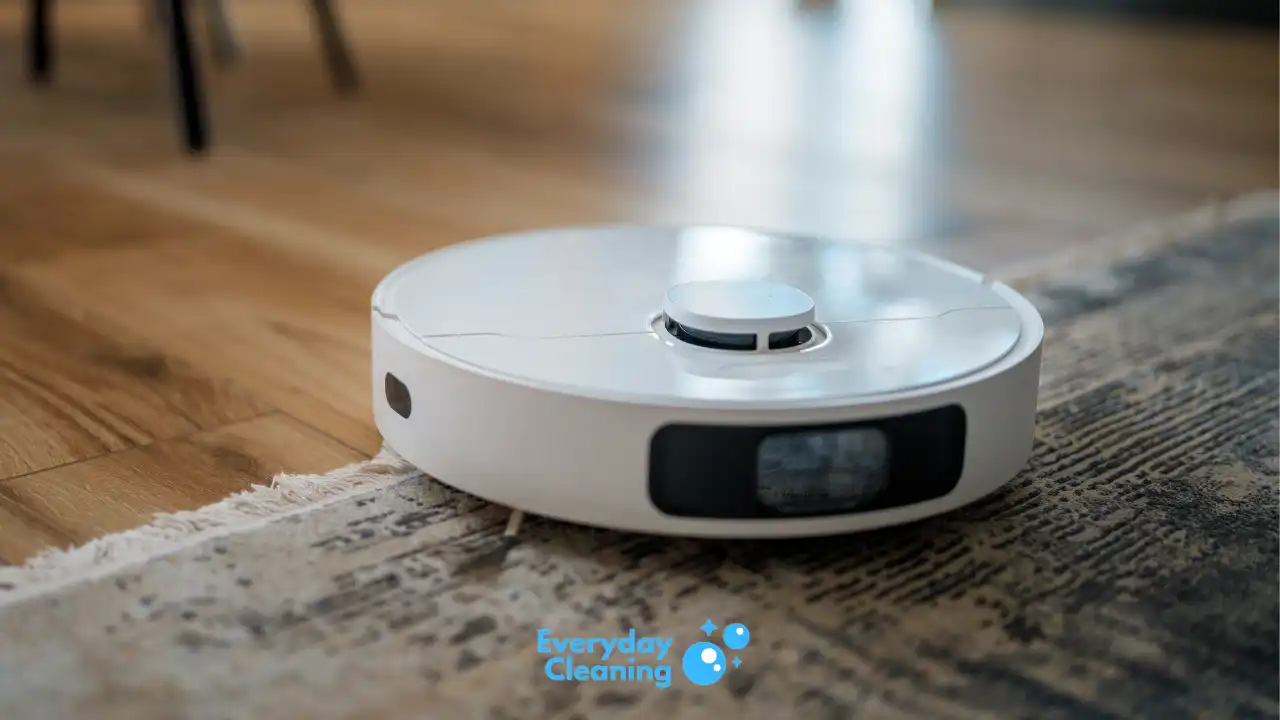
Finding a robot vacuum that actually earns its price is harder than it looks, most budget models cut corners on navigation, suction, or durability. We tested 7 models across budget and mid-range price tiers and found the picks that deliver real performance without the flagship markup.
Our Top Picks
| Recommendation | Product | Reason |
|---|---|---|
| Best Budget Overall | eufy Robot Vacuum 11S MAX | Ultra-slim and whisper-quiet for the price — Reviews ↓ |
| Best Budget for Mixed Floors | Tikom Robot Vacuum G8000 Max | Long runtime and solid suction at a low price — Reviews ↓ |
| Best Value Mid-Range | Roborock Q7 M5+ | Roborock LiDAR navigation plus self-empty at a fair price — Reviews ↓ |
| Best Trusted Brand Value | iRobot Roomba Max 705 | Reliable Roomba with auto-empty and smart mapping — Reviews ↓ |
| Best Value with Full Dock | ECOVACS DEEBOT T80 OMNI | OMNI auto-maintenance station at mid-range price — Reviews ↓ |
| Best Value Vacuum + Mop | Eufy Robot Vacuum E25 | HydroJet mopping and zero-tangle brush at a fair price — Reviews ↓ |
| Best Shark Value | Shark Navigator Robot RV2120AE | Matrix navigation and self-empty from a trusted brand — Reviews ↓ |
Best Budget Overall: eufy Robot Vacuum 11S MAX
The 11S MAX is the easiest recommendation for anyone on a tight budget. It does what a robot vacuum is supposed to do: run quietly, slip under furniture, and come back to charge on its own. Nothing fancy. Just reliable daily automation at a price that makes it easy to say yes.

- 1. Compact and Quiet Operation: With a slim 2.85" profile, the eufy robot vacuum operates quietly, offering a comprehensive clean without causing a disturbance, making it perfect for use at any hour.
- 2. Extended Cleaning Performance: Capable of running up to 100 minutes on hardwood floors, the eufy vacuum robot provides powerful, consistent suction for a thorough clean at a noise level similar to a microwave.

Pros and Cons
| Pros | Cons |
|---|---|
| Ultra-slim 2.85-inch height clears low-clearance furniture | No mopping function |
| Very quiet at 60 dB — runs at night without disturbing anyone | No auto-empty dock |
| Large 0.6 L bin for a budget robot | |
| Auto-boost on carpet — adjusts suction automatically | |
| Self-charging returns to base when battery is low | |
| Budget-friendly price |
Testing Results
Hard Floors: Solid. The 11S MAX clears crumbs, dust, and light debris off hardwood and tile with no problems. The slim profile means it gets under beds and sofas where taller robots can’t go.
Carpet: Handles low-pile carpet well. Auto-boost kicks in and picks up embedded dirt better than you’d expect at this price. Avoid pairing it with thick or high-pile rugs.
Pet Hair: Limited. The database flags pet hair as “No” for this model. It picks up surface-level fur on hard floors, but tangles happen on carpet and the brushroll clogs faster with heavy pet hair. Not the right pick for households with heavy shedders.
Noise: 60 dB in testing. That’s library-quiet for a robot vacuum. You can run it during a Zoom call or while someone is sleeping nearby.
Navigation: Basic bump-and-turn system. It covers the floor eventually but does not map rooms or follow a methodical path. Works best in open floor plans with few obstacles.
Runtime: Up to 100 minutes per charge. Plenty for small to medium homes in a single pass.
Real-world Usage
The 11S MAX earns its place in small apartments or as a secondary robot for a single floor in larger homes. You set it loose in the morning, it handles the hard floors while you’re at work, and docks itself. That’s the whole pitch.
It’s not for homes with multiple pets, heavy carpet throughout, or complex furniture layouts. But for a modest hard-floor space where you want daily automation without spending much, it genuinely delivers.
Best Use Case
Best for: Small apartments, studios, or single rooms with mostly hard floors and low-clearance furniture. Budget buyers who want a set-it-and-forget-it daily runner. Not the right pick for heavy pet hair households or thick carpet homes.
Verdict
At this price, the 11S MAX is hard to argue with. The noise level and slim profile are standout features even compared to robots that cost twice as much. Suction is modest, navigation is basic, and pet hair is a weak spot. But if your main floors are hardwood or tile and you just want something to handle daily dust and crumbs, it gets the job done. It also fits under furniture that other robots have to navigate around. For the money, it’s one of the cleanest buys in the category. If you’re also shopping for options with better allergen handling, check out our guide to the best robot vacuum for allergies.
Rating: 4.0 / 5
View on Amazon: eufy Robot Vacuum 11S MAX
Best Budget for Mixed Floors: Tikom Robot Vacuum G8000 Max
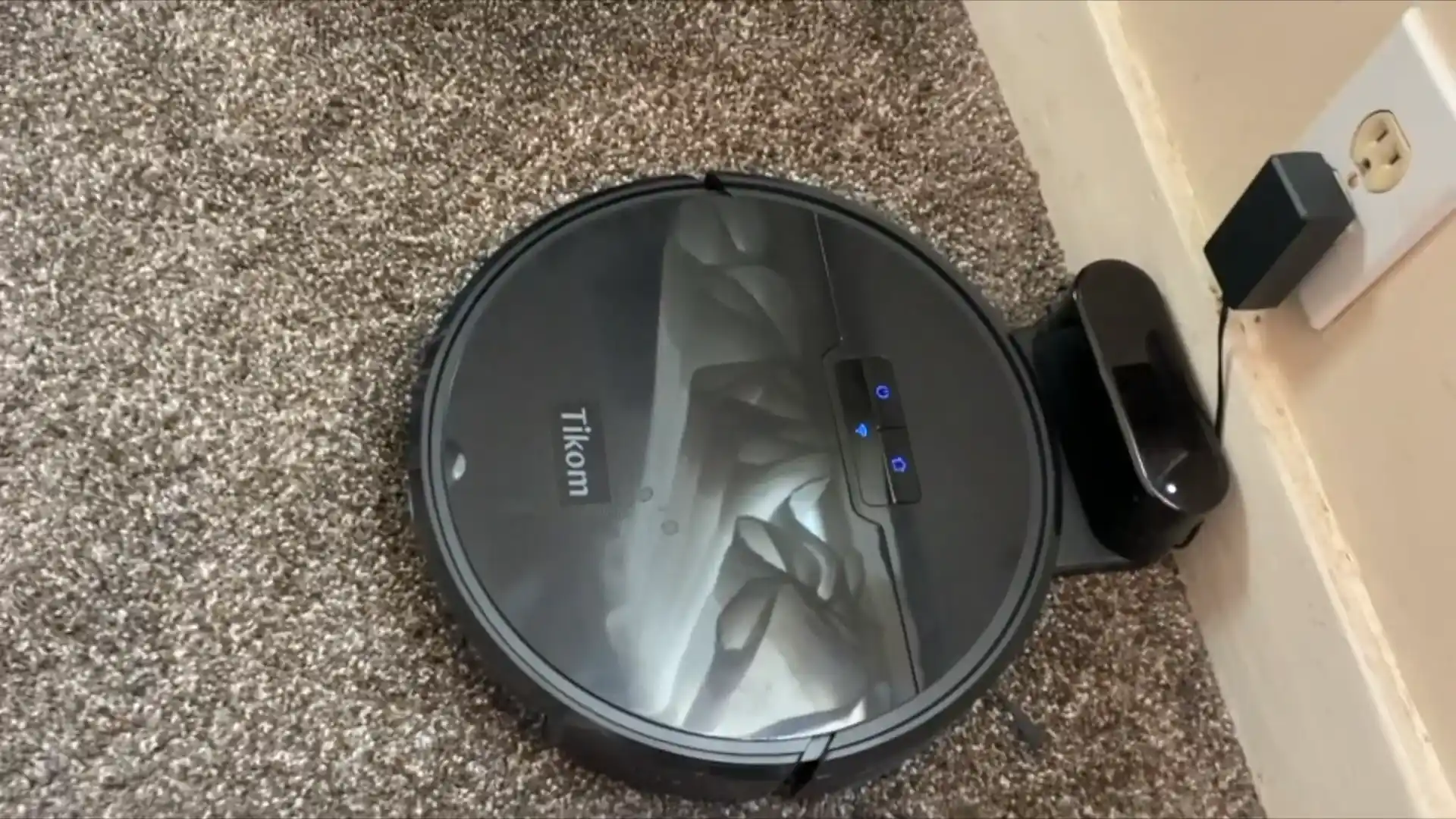
The G8000 Max targets buyers who want more than hard-floor performance without jumping into mid-range pricing. It runs longer than most budget robots and handles the transition between hard floors and low-pile carpet without missing a beat.

- 5000Pa Strong Suction: Robot Vacuum With 5000Pa suction power, it effortlessly removes pet hair, dust, and debris from all types of floors. It can also easily clean on short-pile & medium-pile carpets
- Vacuum & Mop in One Go: G8000 Max robot vacuum is equipped with 450 ml dustbin and 300 ml water tank combo, it supports simultaneous vacuuming and mopping in one go. The innovative design reduces cleaning time by 50%, enhancing household efficiency
Pros and Cons
| Pros | Cons |
|---|---|
| 150-minute runtime — longer than most at this price | Limited pet hair performance |
| Strong suction for the budget class | Basic obstacle avoidance only |
| Quiet at 61 dB | No auto-empty dock |
| Self-charging | |
| Decent hard floor and low-pile carpet coverage | |
| Budget-friendly price point |
Testing Results
Hard Floors: Strong for the price. The G8000 Max clears everyday debris off hardwood, tile, and laminate in a reliable pattern. Good edge cleaning for a bump-and-turn robot.
Carpet: Works on low-pile and berber carpet. The suction is decent enough to pull up embedded surface dirt. Not built for plush or high-pile carpet where the brushroll may struggle.
Pet Hair: The database flags this as “No” for pet hair. Light surface fur on hard floors is fine, but this robot is not built for homes with heavy shedders. Tangles and clogs are a risk on carpet.
Noise: 61 dB. Quiet enough that most people won’t notice it running in adjacent rooms.
Navigation: Basic coverage pattern. No mapping means it will clean the same areas multiple times and miss corners occasionally. Fine for open spaces. Less efficient in room-heavy layouts.
Runtime: Up to 150 minutes. This is the standout spec for the price. It can cover a medium-sized multi-room layout on a single charge without interruption.
Real-world Usage
The G8000 Max fits homes where the floors are a mix of hardwood and a few area rugs, the pet situation is light or nonexistent, and the goal is affordable daily automation. The runtime is the main selling point here. If you have a larger space and don’t want to babysit a robot that gives up halfway through, this model covers more ground per session than most competitors at this price.
It is not going to navigate around chair legs with precision or pick up clumped pet hair from carpet. But for basic whole-home coverage at a budget price, it outperforms many options in its class.
Best Use Case
Best for: Medium-sized homes with mostly hard floors and occasional low-pile rugs. Budget buyers who need long runtime coverage over multiple rooms. Households with no pets or very light shedding. Not ideal for pet-heavy or thick-carpet homes.
Verdict
The 150-minute runtime is the argument for this robot over the 11S MAX. If your home has more square footage to cover and you want automation across several rooms in one session, the G8000 Max earns its place. Suction is solid for the price, noise is low, and the self-charging return means low maintenance. The trade-offs are basic navigation and no pet hair capability. For a budget robot on mixed floors, it covers ground reliably. For more options focused on budget pet-hair robots, our best affordable robot vacuum for pet hair guide covers the better-suited picks.
Rating: 4.0 / 5
View on Amazon: Tikom Robot Vacuum G8000 Max
Best Value Mid-Range: Roborock Q7 M5+
The Q7 M5+ is the robot you buy when you want actual navigation precision and a self-emptying dock without paying for a flagship model. Roborock’s LiDAR-based mapping is the main reason to pick this over cheaper alternatives. It cleans methodically, tracks every room, and the self-empty dock keeps you from having to touch the bin daily.

- 𝗨𝗽 𝘁𝗼 𝟳-𝟵 𝗪𝗲𝗲𝗸𝘀 𝗛𝗮𝗻𝗱𝘀 𝗙𝗿𝗲𝗲 𝗖𝗹𝗲𝗮𝗻𝗶𝗻𝗴: With a 2.7L sealed dust bag, the RockDock Plus efficiently collects pet hair, dirt, and debris without the need for constant emptying. This means longer cleaning cycles and more time between maintenance, ensuring your home stays consistently clean.
- 𝟭𝟬𝟬𝟬𝟬𝗣𝗮 𝗛𝘆𝗽𝗲𝗿𝗙𝗼𝗿𝗰𝗲 𝗦𝘂𝗰𝘁𝗶𝗼𝗻 𝗣𝗼𝘄𝗲𝗿: High-performance suction lifts pet hair and debris from every surface, reaching deep into carpets and along edges for a thorough clean in every pass.

Pros and Cons
| Pros | Cons |
|---|---|
| LiDAR precision mapping for systematic room coverage | No mop washing capability in the dock |
| Anti-tangle brushroll handles pet hair well | Not ideal for thick carpet |
| Self-emptying dock for hands-free maintenance | |
| Strong suction for the mid-range price | |
| 180-minute runtime | |
| Reliable Roborock app and multi-level mapping |
Testing Results
Hard Floors: Excellent. LiDAR navigation means the Q7 M5+ follows a clean grid pattern rather than bouncing randomly. Every strip of hardwood or tile gets covered, and it rarely misses edges.
Carpet: Good on low to medium pile. The anti-tangle brushroll pulls pet hair out of carpet fibers without clogging. Thick or high-pile carpet limits performance.
Pet Hair: The database marks pet hair as “Yes.” The anti-tangle brush design is a genuine upgrade over standard bristle brushrolls. Cat and dog hair on hard floors and medium carpet is handled well.
Navigation: LiDAR-based room mapping is the biggest upgrade over budget picks. The robot builds an accurate floor plan, assigns rooms, and allows you to set no-go zones through the Roborock app. Multi-level mapping works for two-story homes.
Mopping: Basic. The vibration pad moistens the floor and picks up surface dust and light grime. It is not a pressurized or spinning mop system. Set expectations accordingly.
Runtime: Up to 180 minutes. Long enough to complete a thorough multi-room session and return to dock with charge remaining.
Real-world Usage
The Q7 M5+ is built for daily whole-home automation in medium to large spaces. You set a cleaning schedule through the app, the robot maps every room and cleans them in a logical sequence, and the self-empty dock means you empty the dock base every few weeks rather than the bin every couple of days.
It is a genuine step up from bump-and-turn budget robots in every practical way. The LiDAR navigation matters more than most people realize. You stop finding the robot stuck in a corner or running out of battery after cleaning the same hallway three times.
Best Use Case
Best for: Mixed-flooring homes up to 2,000 square feet needing daily automated coverage. Pet owners who want reliable anti-tangle performance. Buyers upgrading from a budget robot who want a meaningful jump in navigation quality. Not ideal for homes with thick carpet throughout or anyone expecting spinning mop capability.
Verdict
The Q7 M5+ is the value pick for anyone who has outgrown budget robots. LiDAR mapping and a self-empty dock at this price point is a strong combination. Mopping is basic, thick carpet is a weak spot, and the dock does not wash or dry the mop. But for pure vacuum coverage with smart navigation and hands-free emptying, it over-delivers for the price. Roborock’s app is polished and reliable. This is the robot we recommend most often to buyers in the mid-range looking for the best return on their investment. If you’re comparing it against robot mop combos, our best robot vacuum mop combo guide is worth reading alongside this one.
Rating: 4.5 / 5
View on Amazon: Roborock Q7 M5+
Best Trusted Brand Value: iRobot Roomba Max 705
If brand reliability matters to you, the Roomba Max 705 is the straightforward mid-range pick from iRobot. It uses PrecisionVision obstacle avoidance, Imprint Smart Mapping, and a Clean Base auto-empty dock. The Roomba platform has a proven track record, and the Max 705 brings most of that into a mid-range price.
- DUAL BRUSHES, DOUBLE DIRT DESTRUCTION. Patented rubber brushes flex and adjust, staying in constant contact with all floor types. Paired with extreme power-lifting suction to loosen and lift any kind of mess.
- ELIMINATES DIRT & DUST. Powers through pet hair and more with anti-tangle Dual Rubber Brushes, an Edge-Sweeping Brush, Carpet Boost, and 180x more* extreme power-lifting suction. *In Spot Clean mode with a full battery, compared to Roomba 600 series robots


Pros and Cons
| Pros | Cons |
|---|---|
| PrecisionVision obstacle avoidance using camera-based AI | No mopping capability |
| Imprint Smart Mapping with room recognition | Shorter runtime at 120 minutes vs competitors |
| Clean Base auto-empty dock | |
| Strong carpet suction and auto-adjustment | |
| Pet-specific cleaning modes | |
| iRobot reputation and long-term software support |
Testing Results
Hard Floors: Solid. The Roomba Max 705 navigates hardwood and tile well and avoids most obstacles in its path. Pet bowls, power cords, and shoes are detected and avoided in good lighting.
Carpet: Strong. The auto-adjustment system boosts suction on carpet and the dual brushroll system handles embedded debris well. A clear advantage over thinner-brushroll budget robots.
Pet Hair: The database marks pet hair as “Yes.” Roomba’s dual brushroll design has historically been one of the better systems for pulling pet hair out of carpet pile. It performs well here.
Obstacle Avoidance: Camera-based vision system performs well in daylight and moderate lighting. In dim rooms or at night, detection accuracy drops. If you run scheduled cleans overnight, keep obstacle avoidance expectations realistic.
Navigation: Imprint Smart Mapping builds a room-level floor plan for scheduling and zone cleaning. You can target specific rooms, set keep-out zones, and automate by room rather than whole-floor only.
Runtime: 120 minutes. Shorter than several competitors at this price. Fine for most homes, but larger two-story layouts may require a recharge mid-session.
Real-world Usage
The Roomba Max 705 fits households that want a brand they trust with software that will be supported long-term. iRobot’s app experience is one of the most refined in the category. The Clean Base dock handles emptying automatically, and the room-level mapping means you can target the kitchen after cooking or the living room after a gathering.
The main trade-offs are no mopping, shorter runtime than Roborock at the same price, and camera navigation that is less reliable in low light. For pure vacuuming with a polished app experience and brand peace of mind, it is a strong mid-range pick.
Best Use Case
Best for: iRobot brand loyalists and buyers who prioritize long-term software support. Pet owners with mixed flooring up to 1,500 square feet. Anyone who wants room-level scheduling and auto-empty convenience. Not for mopping-focused households or those running overnight scheduled cleans in poorly lit spaces.
Verdict
The Roomba Max 705 is the pick for buyers who weight brand trust and ecosystem reliability alongside spec value. The camera navigation is a step behind LiDAR-based competitors in precision, and the 120-minute runtime is shorter than what Roborock offers at a similar price. But the obstacle avoidance is genuinely good in daylight, the carpet cleaning is strong, and Imprint Smart Mapping is intuitive to use. If you’re a current Roomba owner or value iRobot’s track record, this is the best value entry in their mid-range lineup. Our full best robotic vacuum cleaners roundup compares it against other brands side by side.
Rating: 4.3 / 5
View on Amazon: iRobot Roomba Max 705
Best Value with Full Dock: ECOVACS DEEBOT T80 OMNI
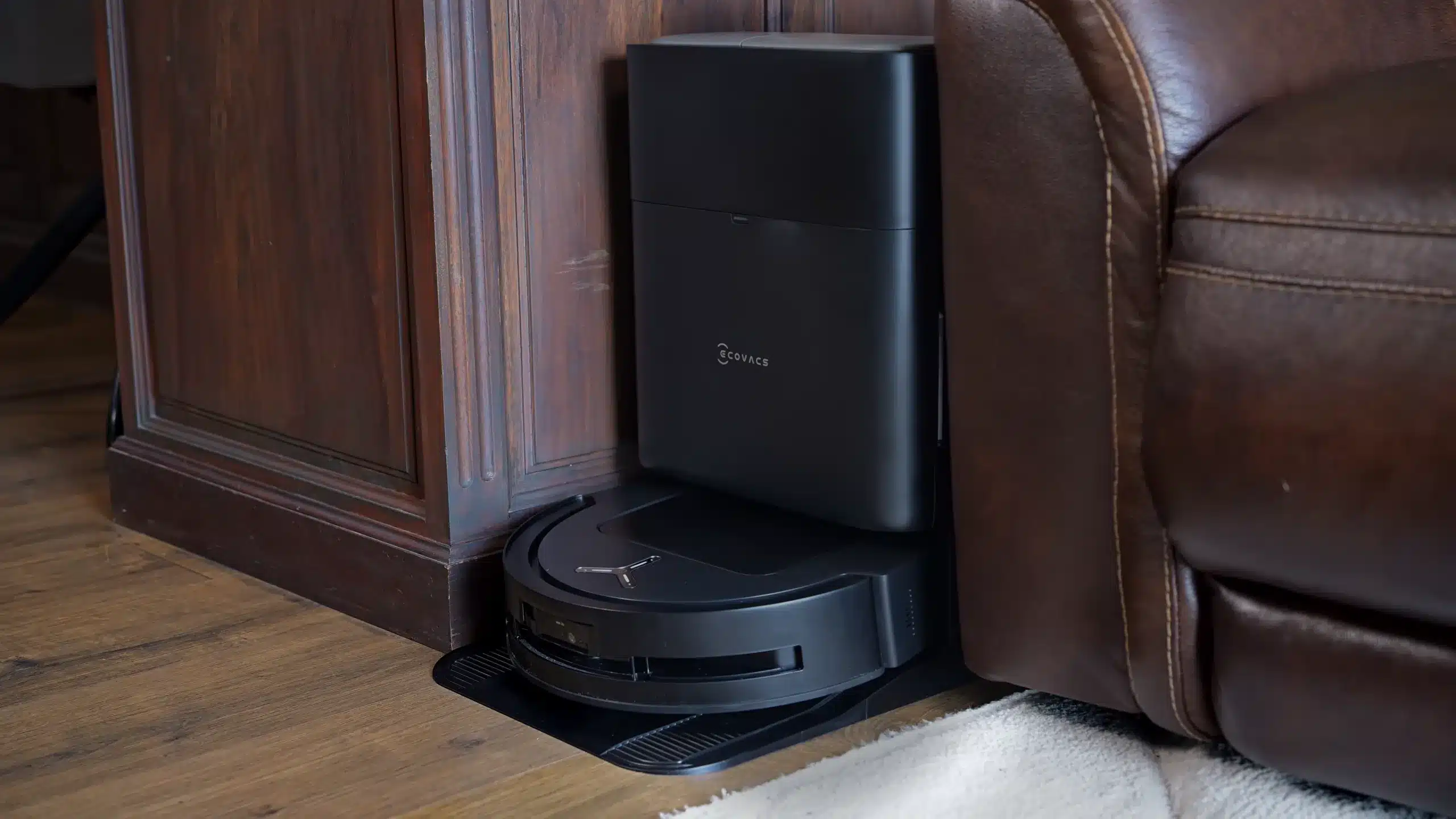
The T80 OMNI brings ECOVACS’s full OMNI dock — auto-empty, mop washing, and drying all included — at a mid-range price. That is the headline. Most robots at this tier offer self-empty at best. Getting a dock that also washes and dries the mop pads moves this model into a different category for hands-free maintenance.

- 𝗜𝗡𝗦𝗧𝗔𝗡𝗧 𝗦𝗘𝗟𝗙-𝗖𝗟𝗘𝗔𝗡𝗜𝗡𝗚 𝗢𝗭𝗠𝗢 𝗥𝗢𝗟𝗟𝗘𝗥 𝗠𝗢𝗣 — 𝗙𝗥𝗘𝗦𝗛𝗘𝗥 𝗠𝗢𝗣𝗣𝗜𝗡𝗚 𝗜𝗡 𝗥𝗘𝗔𝗟 𝗧𝗜𝗠𝗘: OZMO Roller Mop washes itself in real time at 220 RPM, continuously removing dirty water as it cleans. This helps reduce streaks and cross-contamination compared with traditional robot mops.
- 𝟭𝟴,𝟬𝟬𝟬𝗣𝗮 𝗨𝗟𝗧𝗥𝗔 𝗦𝗨𝗖𝗧𝗜𝗢𝗡 — 𝗗𝗘𝗘𝗣 𝗖𝗟𝗘𝗔𝗡𝗜𝗡𝗚 𝗜𝗡 𝗙𝗘𝗪𝗘𝗥 𝗣𝗔𝗦𝗦𝗘𝗦: Powerful 18,000Pa suction lifts embedded dirt, dust, crumbs and pet hair from carpets and hard floors, delivering strong everyday pickup for busy homes and pet owners.
Pros and Cons
| Pros | Cons |
|---|---|
| OMNI dock auto-empties, washes mop pads, and dries them | OMNI dock is large and needs floor space |
| 8,000 Pa strong suction | Higher price than standard self-empty robots |
| ZeroTangle anti-tangle dual brush for pet hair | |
| 200-minute runtime | |
| AIVI obstacle detection | |
| Strong mopping performance |
Testing Results
Hard Floors: Excellent. 8,000 Pa suction and a dual brushroll system handle hardwood and tile debris thoroughly. The mopping capability adds a layer of clean to hard floors that vacuum-only robots skip.
Carpet: Good on low to medium pile. The ZeroTangle brush handles pet hair without clogging. Very thick carpet limits performance, and the mop pads automatically lift over carpet when detected.
Pet Hair: The database marks pet hair as “Yes.” ZeroTangle dual brush is one of the better designs for avoiding tangles from long hair and heavy pet shedding. A genuine advantage for pet households.
Mopping: Strong for a robot mop combo. The OMNI dock washes and dries the mop pads after each session, meaning you do not deal with musty pads or manually rinse them. This is a major convenience upgrade over standard vibration-pad mopping.
Dock Maintenance: The OMNI station handles emptying, pad washing, warm-air drying, and solution refilling. In practice, this means the robot operates for weeks with minimal human intervention beyond topping up the clean water tank.
Runtime: Up to 200 minutes per charge. One of the longer runtimes at this tier, enough to cover large open-floor-plan homes thoroughly.
Real-world Usage
The T80 OMNI is the pick for buyers who genuinely want hands-off cleaning. The combination of 8,000 Pa suction, a capable mop system, and a dock that handles maintenance automatically means you set a schedule and largely forget about floor cleaning.
The OMNI dock is the main friction point. It is large. It needs a dedicated floor spot, ideally near an outlet in a utility room or open corner. For smaller apartments, the dock size may feel intrusive. For homes where you have the space, it is worth it.
Best Use Case
Best for: Mixed-floor households wanting vacuum and mop automation with minimal maintenance. Pet owners with shedding animals on hardwood and medium carpet. Buyers willing to allocate dock space for the OMNI station’s full feature set. Not for thick carpet-dominant homes or anyone without floor space to accommodate the dock.
Verdict
The T80 OMNI delivers a level of automation that most mid-range robots do not touch. The OMNI dock washes and dries mop pads instead of leaving them damp. The suction is strong. The ZeroTangle brush handles pet hair well. And the 200-minute runtime covers large spaces in one session. If the dock footprint works in your home, this is excellent value for what it delivers. No other robot at this price tier offers automatic mop washing as a standard feature. For buyers specifically focused on pet hair, our guide to the best robot vacuum for pet hair self-emptying covers this model alongside options with more pet-hair-specific tuning.
Rating: 4.5 / 5
View on Amazon: ECOVACS DEEBOT T80 OMNI
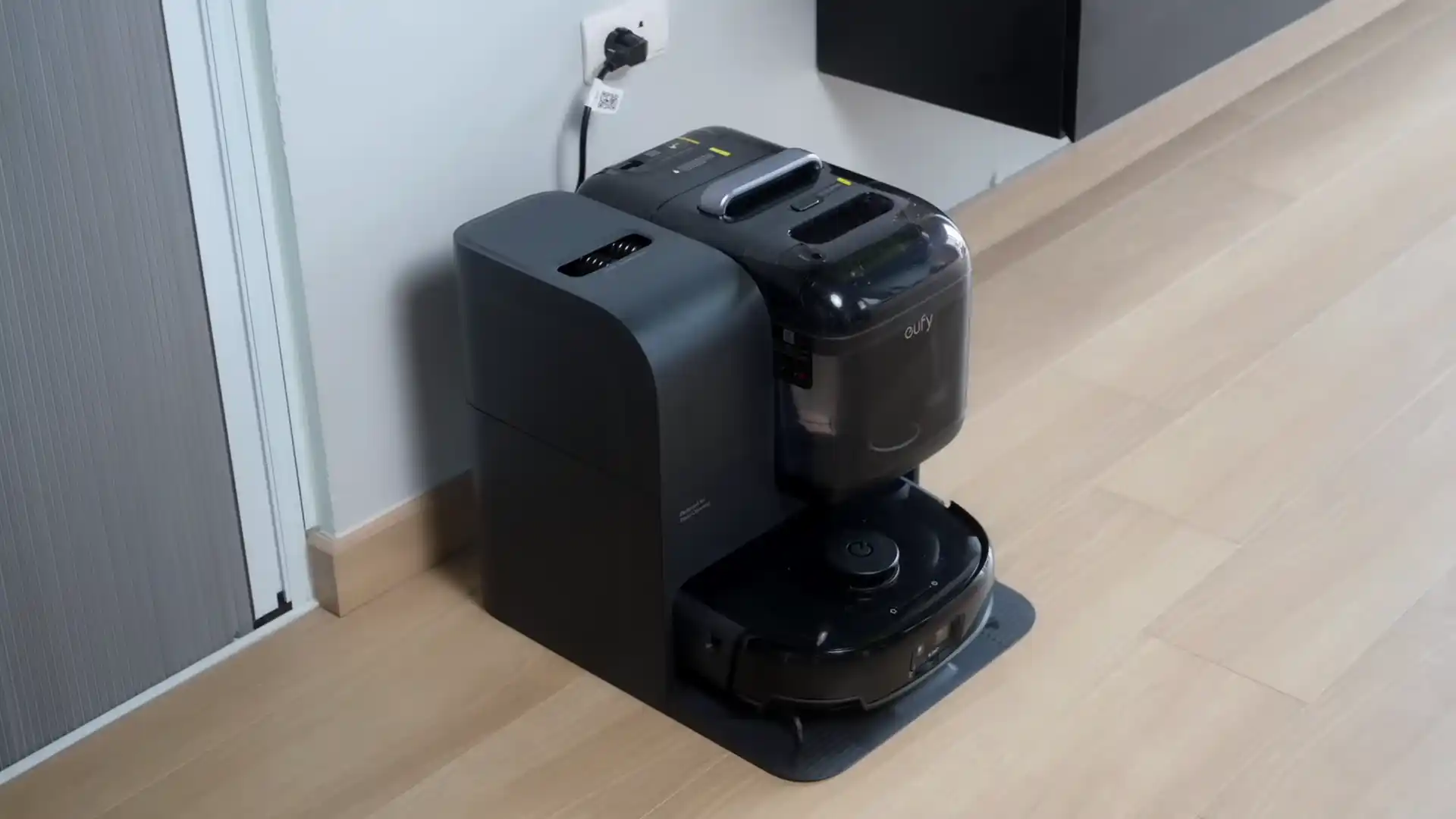
Best Value Vacuum + Mop: Eufy Robot Vacuum E25
The E25 is Eufy’s mid-range answer for buyers who want vacuum and mop capability without committing to a full OMNI-style dock. The HydroJet pressurized mopping system pushes it above standard vibration-pad competitors, and the zero-tangle dual brush handles pet hair on the vacuum side.

- 【𝐀𝐥𝐰𝐚𝐲𝐬-𝐂𝐥𝐞𝐚𝐧 𝐌𝐨𝐩𝐩𝐢𝐧𝐠 𝐰𝐢𝐭𝐡 𝐇𝐲𝐝𝐫𝐨𝐉𝐞𝐭 𝐒𝐲𝐬𝐭𝐞𝐦】Refreshes the roller mop 2 times per second with clean water, ensuring every pass is spotless and preventing cross-contamination. Removes tough stains like coffee and sauce. True deep-cleaning for whole-home hygiene.
- 【𝐇𝐚𝐧𝐝𝐬-𝐅𝐫𝐞𝐞 𝐰𝐢𝐭𝐡 𝐀𝐥𝐥-𝐢𝐧-𝐎𝐧𝐞 𝐒𝐭𝐚𝐭𝐢𝐨𝐧】Auto-empties dust into a 3L bag (lasts ~75 days), self-washes roller mops, hot air dries at 50°C, and auto-refills water. Complete hands-free convenience for large homes with up to 5 floor plans.
Pros and Cons
| Pros | Cons |
|---|---|
| HydroJet pressurized mopping for better floor clean | Limited thick carpet performance |
| Zero-tangle dual brushroll for pet hair | |
| 6,000 Pa suction with auto floor detection | |
| 180-minute runtime | |
| Auto-empty dock | |
| Good value for features per dollar |
Testing Results
Hard Floors: Strong. The combination of 6,000 Pa suction and HydroJet mopping handles both dry debris and surface grime in one pass. The pressurized mop applies water more evenly than vibration pads, resulting in a noticeably cleaner floor after mopping.
Carpet: Good on low to medium pile. The robot auto-detects carpet and adjusts accordingly. Thick high-pile carpet is a limitation.
Pet Hair: The database marks pet hair as “Yes.” The zero-tangle dual brush prevents hair clogging without requiring regular manual clearing. Reliable for mixed-fur households on hard floors and short-pile carpet.
Mopping: A step above standard vibration mopping. HydroJet’s pressurized water delivery picks up dried spills and light grime that other robots miss. Not as capable as a dedicated mopping robot, but a genuine improvement over the category baseline.
Obstacle Avoidance: Available but basic. Not in the same tier as advanced AI detection found on premium models. Works fine in typical homes without too many small obstacles on the floor.
Runtime: Up to 180 minutes. Solid coverage for medium to large open-floor homes.
Real-world Usage
The E25 is the pick for mixed-floor households that want cleaner hard floors without switching between a vacuum robot and a separate mop robot. The HydroJet pressure does make a visible difference on kitchen tile and dining room hardwood. Pet hair pickup is reliable. Runtime is long enough for most homes in one session.
The dock is the trade-off. It auto-empties the dustbin, but it does not wash or dry the mop pad. You still need to manually rinse the mop after sessions if you run the mop frequently. That is a step up in maintenance compared to the T80 OMNI’s fully automated dock.
Best Use Case
Best for: Families on mixed hard floors wanting better-than-average mopping and reliable pet hair pickup. Homes needing daily vacuum and mop automation without full OMNI dock pricing. Not ideal for thick carpet-heavy homes or buyers who want fully automated mop maintenance.
Verdict
The E25 hits a sweet spot between price and practical capability. HydroJet mopping is a real upgrade over the category norm. Pet hair is handled reliably by the zero-tangle brush. And the 180-minute runtime means it finishes the whole home in one session. The dock lacks mop washing, which is the only thing holding it back from being an easy upgrade over the T80 OMNI. For busy families who want daily vacuum-mop automation at a fair price, it earns its spot. Our best robot vacuum for busy families guide covers this model in the context of family-specific needs.
Rating: 4.3 / 5
View on Amazon: Eufy Robot Vacuum E25
Best Shark Value: Shark Navigator Robot RV2120AE
Shark’s mid-range entry in the robot vacuum space brings their Matrix navigation system, self-cleaning brushroll, and a self-empty base at a competitive price. It is the right pick for Shark loyalists who want the brand’s familiar reliability in a robot format without paying for a flagship.

- POWERFUL SHARK PERFORMANCE: Up to 50% more suction* and designed for carpets and hard floors. (*vs. competitor robot vacuum)
- UP TO 1.5X MORE COVERAGE*: SmartPath Navigation uses spot liDAR technology to precisely map your home and clean in a row by row pattern for maximum coverage compared to traditional robot vacuums (*vs. Shark ION)

Pros and Cons
| Pros | Cons |
|---|---|
| Shark Matrix navigation for systematic floor coverage | Camera-based navigation (not LiDAR) |
| Self-cleaning brushroll resists pet hair tangles | Limited mopping capability |
| Self-empty base for hands-free maintenance | |
| HEPA filtration for allergen capture | |
| Familiar Shark brand reliability | |
| Pet hair focused design |
Testing Results
Hard Floors: Good. Matrix navigation covers hard floors in a systematic grid pattern rather than random bouncing. Coverage is thorough on open floor plans.
Carpet: The self-cleaning brushroll performs well on low and medium pile carpet. Shark’s suction auto-adjusts when the robot transitions from hard floor to carpet. Pet hair embedded in carpet pile is handled reliably.
Pet Hair: The database marks pet hair as “Yes.” The self-cleaning brushroll is the standout feature. It actively clears hair wrap from the brush during cleaning, reducing the manual maintenance required on pet hair-heavy floors.
Obstacle Avoidance: Camera-based system. Works well in normal daylight. In low light or at night, detection is less reliable. Set scheduled cleans during daylight hours if obstacle avoidance matters.
Navigation: Matrix navigation generates a systematic cleaning path and supports zone cleaning and room-level scheduling through the Shark app. Not LiDAR-precise, but methodical and reliable for most open floor plans.
Runtime: 120 minutes. Fine for single-floor homes or apartments. Two-story homes may need a mid-session dock return.
Real-world Usage
The RV2120AE fits Shark brand households that want a robot to complement their corded or cordless Shark vacuum. The cleaning style and app experience align with what Shark users already know. The self-cleaning brushroll is a genuine feature that reduces maintenance, especially in pet hair households. And HEPA filtration adds a layer of allergen capture that cheaper robots often skip.
The main limitations are shorter runtime and camera-based navigation that is not as precise as LiDAR. For open-plan homes in good lighting, it covers the floor reliably. For complex layouts with lots of furniture or poorly lit hallways, it works but is less efficient than a LiDAR alternative.
Best Use Case
Best for: Shark brand loyalists wanting a robot vacuum with self-empty convenience and pet hair capability. Mixed-floor homes up to 1,200 square feet needing daily automation. Allergy-conscious households that want HEPA filtration in their robot. Not for buyers running scheduled night cleans or anyone needing precise room-level navigation in complex floor plans.
Verdict
The RV2120AE is a solid mid-range robot for Shark users. Self-cleaning brushroll plus HEPA filtration is a combination that most competitors at this price do not offer together. The camera navigation is the main limitation — it works, but LiDAR is noticeably better in complex spaces or low light. If you are already in the Shark ecosystem and want daily robot automation with minimal maintenance, this delivers. If you are buying purely on specs, the Roborock Q7 M5+ offers LiDAR navigation at a similar price. For a side-by-side view of robot vs manual vacuums, the robot vacuum vs upright comparison is a useful starting point.
Rating: 4.2 / 5
View on Amazon: Shark Navigator Robot RV2120AE
What Makes the Best Value Robot Vacuum?
Suction Power for the Price
Suction power matters more than the Pa number on the spec sheet suggests. At the budget tier, you are looking at 2,000 to 6,000 Pa. At mid-range, 6,000 to 8,000 Pa is the realistic window. The difference shows up most on carpet — specifically on embedded pet hair and fine debris that lighter suction leaves behind.
Here is the thing: a budget robot with 2,000 Pa and basic navigation will miss areas of your floor repeatedly. A mid-range robot with 6,000 Pa and LiDAR mapping may outperform a premium robot with higher Pa but worse navigation in real-world results. How the robot covers your floor matters as much as raw suction.
For budget buyers prioritizing hard floors, 2,000 to 4,000 Pa is sufficient. For pet hair households or carpet-dominant homes, aim for 6,000 Pa or higher.
Navigation Quality
This is where budget and mid-range robots split the most sharply. Budget models use bump-and-turn navigation — they travel until they hit something, change direction, and repeat. They cover the floor eventually but inefficiently. Rooms get cleaned in random patterns. Corners and edges get missed more often.
Mid-range robots with LiDAR or structured-light navigation build a floor plan and clean in a methodical grid. Every strip of floor gets covered. Room-level scheduling means you can target the kitchen after cooking. Multi-level mapping handles two-story homes.
If you have a small studio apartment with open floor space, bump-and-turn navigation is fine. If you have a larger multi-room home with furniture throughout, investing in a robot with LiDAR navigation is worth the price difference.
Self-Empty vs Manual Bin
A self-empty dock is not a luxury feature anymore. It is the single biggest quality-of-life difference between basic and mid-range robot vacuums. Without one, you are emptying the bin every one to three cleaning sessions depending on how dirty your floors are.
With a self-empty dock, the robot deposits debris into a sealed base bag after every run. You empty the base every two to four weeks. In pet households where the bin fills fast, this difference is felt daily.
Not all self-empty docks are equal, though. Standard docks empty the bin only. Higher-end docks like ECOVACS’s OMNI station also wash, dry, and refill mop pads. If you are buying a vacuum-mop combo, the dock’s mop maintenance capability matters a lot to how much ongoing work the robot saves you.
Mopping Capability
Not every buyer needs a robot that mops. If your home is carpet-dominant, a vacuum-only robot is the right call. But for hard-floor households with kitchen tile, hardwood dining areas, or laminate throughout, adding mopping capability to your robot saves time on a second pass with a mop or Swiffer.
Mopping quality varies significantly. Basic vibration pads add moisture and pick up surface dust — they do not scrub. Pressurized mopping systems like HydroJet apply water more evenly and handle dried spills better. Spinning dual mop pads found on premium models actively scrub the floor surface.
For value buyers, a pressurized mop system is the upgrade worth paying for. Basic vibration pads are better than nothing, but the improvement over just vacuuming is marginal.
Pet Hair and Brushroll Design
Standard bristle brushrolls tangle with long pet hair fast. In pet households, this means manual de-tangling every few days — sometimes after every session. Anti-tangle or zero-tangle brushroll designs actively resist hair wrap and require less maintenance.
If you have pets that shed regularly, an anti-tangle brushroll is worth prioritizing over raw suction numbers. A robot with 8,000 Pa suction and a standard brushroll will clog more often than a robot with 6,000 Pa and an anti-tangle design.
For the picks on this list, the Roborock Q7 M5+, ECOVACS T80 OMNI, Eufy E25, and Shark RV2120AE all have anti-tangle or self-cleaning brushroll designs that hold up better in pet hair homes.
App Quality and Smart Features
App quality is one of the more underrated specs in robot vacuums. A good app makes room-level scheduling, no-go zone setup, and cleaning history easy to manage. A poor app turns those features into frustrating chores.
Roborock and ECOVACS both have polished, reliable apps at mid-range. iRobot’s app is one of the best in the category. Eufy’s app is functional and clean. Shark’s app works well for the core features without unnecessary complexity.
Budget robots typically pair with minimal apps or no app at all — they run on a set schedule or with a remote. That is fine if you just want daily automation without configuration. But if you want to schedule room-specific cleans or draw virtual boundaries, a robot with a capable app is necessary.
How to Use a Robot Vacuum Effectively
Most people set up their robot vacuum and run it daily without doing a few things that make a meaningful difference in results.
Clear the floor before the first scheduled run. Move cords off the floor, pick up shoes, and clear pet toys. Robot vacuums with basic navigation bump into and sometimes get tangled in loose items. Doing a quick floor sweep the first week while the robot learns your space avoids most stuck-robot situations.
Run it daily if possible. Robot vacuums perform best as maintenance tools, not deep cleaners. Daily light passes keep debris from accumulating into thick layers that need multiple passes to clear. Carpet especially benefits from daily suction since pet hair and dust settle into fibers quickly.
Empty the bin or check the dock regularly for the first two weeks. Even with a self-empty dock, check that the base bag is not filling faster than expected, especially in pet households or high-traffic homes. Establish a weekly check-in habit until you know your robot’s typical fill rate.
Set a no-go zone around the dock. Robots returning to base at the edge of their runtime sometimes bump the dock and knock it slightly off alignment. Most apps let you draw a keep-out buffer around the dock area. This keeps the dock in position for reliable returns.
Trim your floors before large scheduled sessions. High-pile area rugs, loose furniture skirts, and shag rug edges can catch robot bumpers and stop the session. A quick scan of the floor before a deeper weekly clean prevents interruptions.
Frequently Asked Questions
What is the best value robot vacuum overall? For most households, the Roborock Q7 M5+ offers the best combination of features for the price. LiDAR navigation, an anti-tangle brushroll, self-empty dock, and 180-minute runtime cover most household needs without flagship pricing. If you are on a tighter budget and have hard floors only, the eufy 11S MAX is a strong value at a fraction of the cost.
Is a robot vacuum worth it for a small apartment? Yes, more so than larger homes. Small apartments benefit from daily robot automation because the robot can cover the whole space on a single charge without complex multi-room navigation. The eufy 11S MAX and eufy C10 are both designed with slim profiles and quiet operation that suit apartment living. Our guide to the best robot vacuum for small apartments goes deeper on the apartment-specific picks.
Do I need a self-emptying dock? Not strictly, but it makes a real difference in how often you interact with the robot. Without one, you empty the bin every one to three days. With one, every two to four weeks. For pet households especially, the bin fills fast and self-empty is more useful than it sounds. Budget-conscious buyers can skip it and set a reminder to empty manually.
Can a value robot vacuum handle pet hair? Only some can. The eufy 11S MAX and Tikom G8000 Max are flagged as “No” for pet hair in our database — they are not built for heavy shedders. The Roborock Q7 M5+, ECOVACS T80 OMNI, Eufy E25, Shark RV2120AE, and iRobot Roomba Max 705 all handle pet hair reliably due to anti-tangle or self-cleaning brushroll designs. If you have pets, prioritize brushroll design over raw suction. For households with both pet hair and allergen concerns, see our best robot vacuum for pet hair and allergies guide.
How long should a robot vacuum battery last? For most single-floor homes under 1,500 square feet, 100 minutes is sufficient. For larger multi-room layouts or homes with carpet throughout, 150 minutes or more is worth looking for. The Tikom G8000 Max (150 min), ECOVACS T80 OMNI (200 min), and Roborock Q7 M5+ (180 min) offer the best runtime-to-price ratio on this list.
Is LiDAR navigation worth the price jump? For most buyers with multi-room homes, yes. LiDAR-based navigation is faster, more thorough, and more efficient than camera-based or bump-and-turn systems. It builds an accurate floor plan, cleans in a grid rather than randomly, and handles furniture-heavy rooms better. For small open spaces, it matters less. For larger homes with multiple rooms and lots of furniture, LiDAR is the upgrade that makes the biggest day-to-day difference.
What is the difference between mopping modes in robot vacuums? There are three main types: vibration pad mopping (applies moisture but does not scrub), pressurized mopping like HydroJet (applies water more evenly and handles dried spills), and spinning dual mop pads (actively scrub the floor surface). Vibration pads are the most common and the least effective. Pressurized mopping is the sweet spot for value buyers who want a real upgrade. Spinning mop pads are typically found on premium robots with full dock maintenance systems.